
The measurement of productivity has taken various forms over time. The quantity of the produced product/service is the basic criterion. Initially, with overall characteristics – how much the factory produces. Subsequently, the measurement was divided among individuals – the individual measurement of productivity. And as this quantitative assessment of productivity penetrated more and more into the individual level, its qualitative aspect also evolved – what are the changes that need to be made to increase the performance of each worker? The analysis of movements, and the elimination of unnecessary ones, in the work process, was and remains a qualitative “upgrade” of the workforce. The universal practice of this fragmentation of improvement extends beyond the narrow concept of work and into the body itself. The algorithmic structuring of thought and the subjugation of free time to self-improvement activities demonstrate this trend.
The restructuring of workspaces appears perhaps more clearly as a distinct field – although it has expanded far beyond the factory/office/store. The monitoring and measurement of individual productivity, a longstanding concern for employers, could not remain the same as the “nature” of work itself changes. The 4th industrial revolution, along with its dilemmas, also offers solutions. The following text refers to the use of monitoring and efficiency measurement applications that employers can utilize in this new paradigm, especially during a pandemic and in the era of remote work. The raw material for this analysis is – what else? – (meta)data. The machine’s recording of activities – whether broad or granular – and their descriptions.
A scenario to illustrate this process might be as follows: Someone working in a café clocks in and out upon entering and leaving. Not only at the beginning/end of their shift, but also during any brief intermediate exits from the shop. The total steps taken throughout the day are counted, as well as body positioning/posture during various tasks. Specialized sensors measure micro-movements of the hands as they prepare various items. Facial recognition cameras detect mood and eye movement, recording interactions with customers. All of this – and even more details – is analyzed by an intelligent algorithm to generate statistics. It goes without saying that advice (or directives) on proper sleep and nutrition are part of the program, but that falls outside the workplace and is not our concern – right?
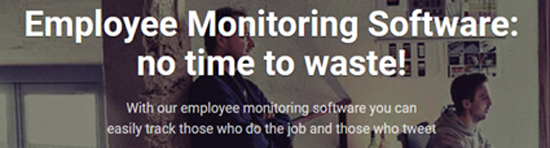
Inside the interventionist, hidden “bossware” employee monitoring1
Covid-19 has pushed millions of people to work from home and many companies that provide employee monitoring software have activated to promote their products to employers across the country.
These services often sound relatively harmless. Some vendors characterize their tools as “automatic time tracking” software or “workplace analytics tools.” Others trade with companies concerned about data breaches or intellectual property theft. We will collectively call these tools “bossware.” While aiming to assist employers, bossware jeopardizes employee privacy and security by recording every click and keystroke, secretly collecting information for lawsuits, and using other surveillance capabilities that far exceed what is necessary for managing a workforce.
This is not okay. When a home becomes an office, it remains a home. Workers should not be subjected to non-consensual surveillance or feel pressured to be monitored in their homes in order to keep their jobs.
What can they do?
Bossware is typically installed on a computer or smartphone and has permissions to access data related to anything happening on that device. Most software programs collect, more or less, everything the user does. We examined promotional material, presentations, and customer reviews to understand how these tools work. There are far too many individual types of monitoring to mention here, but we will try to distinguish the ways these products can spy into general categories.
The broadest and most common type of monitoring is “activity monitoring.” This usually involves a log of the applications and websites employees use. It may include who they send emails or messages to—including titles and other metadata—and any posts they make on social media. Most software programs also record keyboard and mouse activities—for example, many tools provide a minute-by-minute analysis of the number of keystrokes and clicks a user makes, using it as an indicator of productivity. Productivity monitoring software will attempt to compile all this data into simple charts or graphs that give managers a general picture of what employees are doing.
Every product we examined has the ability to take frequent screenshots of each employee’s device, and some provide direct, live video streams of their screens. This raw image data is often placed on a timeline, so managers can go back during a workday and see what they were doing at any point. Several products also function as keyloggers, recording every keystroke a worker makes, including email messages and private passwords. Some even allow administrators to log in and take control of a user’s desktop. These products typically do not distinguish between job-related activity and personal account credentials, banking data, or medical information.
Some software programs go even further, reaching into the physical world around an employee’s device. Companies that offer mobile device software almost always include location tracking using GPS data. At least two services – StaffCop Enterprise and CleverControl – allow employers to secretly activate cameras and microphones on employees’ devices.
There are, generally, two ways in which bossware can be applied: as an application that is visible (and perhaps even controlled by) the employee, or as a secret background process that employees cannot see. Most companies we examined give employers the ability to install their software in both ways.
Visible monitoring
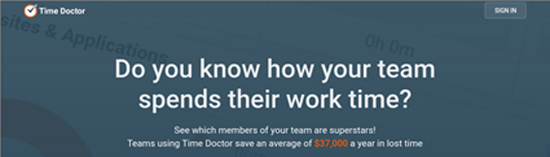
Sometimes, employees can see the software that monitors them. They may have the option to turn monitoring on or off. Of course, the fact that an employee has disabled monitoring will be visible to their employer. For example, with Time Doctor, employees may have the option to delete specific screenshots from their work session. However, deleting a screenshot will also delete the corresponding work time, so employees are paid only for the time during which they are monitored.
Employees may have access to some or all of the information collected about them. Crossover, the company behind WorkSmart, compares its product to a fitness tracking app, but for computer work. It allows employees to see the system’s insights regarding their activity, presented in a series of charts and tables.
Different bossware companies offer different levels of transparency to employees. Some give employees access to all or most of the information that their managers have. Others, such as Teramind, show that they are activated and collect data, but do not reveal everything they collect. In any case, it may often not be clear to the user which specific data is being collected, without specific requests to their employer or careful inspection of the software itself.
Invisible surveillance
The majority of companies that manufacture visible monitoring software also build products that attempt to hide from the individuals they monitor. Teramind, Time Doctor, StaffCop, and others create bossware that is designed to be as difficult as possible to detect and remove. Technically, these products are indistinguishable from stalkerware (note: a type of malware for surveillance). In fact, some companies require employers to adjust antivirus software accordingly before installing their products, so that the employee’s antivirus programs do not detect the monitoring software’s activity.
This type of software is available on the market for a specific purpose: monitoring employees. However, most of these products are actually just general-purpose monitoring tools. StaffCop offers a version of its product specifically designed for monitoring children’s internet usage at home, and ActivTrak states that its software can also be used by parents or school employees to monitor children’s activity. Customer reviews for some of the software show that many customers do indeed use these tools outside the office.
Most companies offering invisible monitoring recommend using it only on devices owned by the employer. However, many offer features such as remote and hidden installation of monitoring software on employees’ computers, without their knowledge, while their devices are outside the office. This works because many employers have administrator rights on computers they distribute. But for some employees, the company laptop they use is their only computer, so company monitoring is always present. There is a high likelihood of abuse of this software by employers, school staff, and intimate partners. And the victims may never know they are being subjected to such monitoring.
How common is bossware;
The employee monitoring sector is not new, and it was already quite large before the outbreak of the global pandemic. Although it is difficult to estimate how common bossware is, it is undoubtedly much more prevalent now, as employees are forced to work from home due to covid-19. Awareness Technologies, which owns InterGuard, claimed that it increased its customer base by more than 300% in just the first weeks after the outbreak. Many of the suppliers we looked at are exploiting covid-19 in their marketing efforts.
Some of the largest companies in the world use bossware. Hubstaff’s clients include Instacart, Groupon, and Ring. Time Doctor claims to have 83,000 users. Its clients include Allstate, Ericsson, Verizon, and Re/Max. ActivTrak is used by more than 6,500 organizations, such as the University of Arizona, Emory University, and the cities of Denver and Malibu. Companies like StaffCop and Teramind don’t disclose information about their clients, but claim to serve customers in industries such as healthcare, banking, fashion, construction, and call centers. Customer reviews of monitoring software provide more examples of how these tools are being used.
We don’t know how many of these organizations choose to use invisible monitoring, as employers themselves don’t tend to advertise it. Moreover, there is no reliable way for employees themselves to know, as invisible software is designed to avoid detection. Some employees have contracts that permit certain types of monitoring or prohibit others. But for many workers, it may be impossible to tell whether they are being monitored. Employees who are concerned about the possibility of monitoring might be safer assuming that any device provided by their employer is being monitored.
How is data used?
Bossware vendors market their products for a wide variety of uses. Some of the most common include time and productivity tracking, compliance with data protection laws, and prevention of intellectual property theft. Some use cases may be valid: for example, companies that handle sensitive data often have legal obligations to ensure that data does not leak or get stolen from company computers. For remote workers, this may require a certain level of monitoring on the device. However, an employer should not engage in surveillance for such security purposes unless it can demonstrate that it is necessary, proportionate to the situation, and specific to the issues it is trying to address.
Unfortunately, many use cases involve employers exercising excessive power over employees. Perhaps the largest category of products we examined are designed for “productivity monitoring” or enhanced time tracking – that is, recording everything employees do to ensure they are working hard enough. Some companies frame their tools as potential benefits for both managers and employees. Collecting information for every second of a workday is not only good for bosses, they claim – it supposedly helps the employee too. Other vendors, such as Work Examiner and StaffCop, market directly to managers who do not trust their staff. These companies often base layoffs or bonuses on performance measurements that come from their products.
Some companies also market their products as “punishment tools” or as ways to gather evidence for potential employee lawsuits. InterGuard advertises that its software “can be installed silently and remotely, so you can conduct secret investigations [of your employees] and collect evidence without threats without worrying about the suspicious violator.” This evidence, it continues, can be used to combat “unfounded complaints.” In other words, InterGuard can provide employers with an astronomical number of private, secretly collected information to try to nullify employees’ legal recourse against unfair treatment.
None of these use cases, even the least intrusive ones mentioned above, guarantee the volume of information that a bossware typically collects. And nothing justifies hiding the fact of surveillance.
Most products store screenshots periodically and some of them allow employees to choose which ones to share. This means that sensitive medical, banking or other personal data are recorded along with screenshots of work emails and social media. Products that include keyloggers are even more intrusive and often record passwords to employees’ personal accounts.
Unfortunately, the excessive collection of information is often not an accident, it is a characteristic. Work Examiner specifically advertises the ability of its product to record private passwords. Another company, Teramind, refers to any information typed into an email program – even if this information is subsequently deleted. Several products also analyze text strings from private messages on social media, so that employers can know the most intimate details of employees’ personal conversations.
Let’s be clear: this software is specifically designed to help employers read employees’ personal messages without their knowledge or consent. In any way, this is unnecessary and unethical.
translation/adaptation:Wintermute
- Inside the Invasive, Secretive “Bossware” Tracking Workers, Electronic Frontier Foundation – 30/6/2020 ↩︎